Dragonote
Export repository context from a Rust CLI or Tauri desktop app, with shared scanning rules and configurable output budgets.
One Rust core, two interfaces.

One Rust Core, Two Interfaces
The dragonote CLI and Tauri desktop app call the same Rust scanner.
The desktop interface adds a file tree, checkboxes, and a directory picker;
scanning, filtering, export, and chunking remain in the shared core.
--extra-ignore "*.log,temp/" # skip matching patterns
--force-include "config.toml" # override ignores
--include-resources # include assets/static dirs
--test-mode separate|inline|exclude
--max-code-tokens 500000 # custom limits
--budget 128000 # exact token budget
--split # auto-split large exports
--zip # archive output
Repository Scanning
Point Dragonote at a project directory and it applies practical default filters.
Existing .gitignore rules are respected without additional configuration.
Binary files, node_modules, build artifacts, and common junk directories are
detected and skipped before a single token is counted.
Test directories (tests/, __tests__/, spec/) are
automatically detected and exported separately so your LLM gets clean source context without
test noise mixed in.
Resource directories like assets/ and static/ are flagged
and toggleable.
.dragignore is a persistent, project-level ignore file that sits
alongside your .gitignore and provides project-specific control over
the exported files.
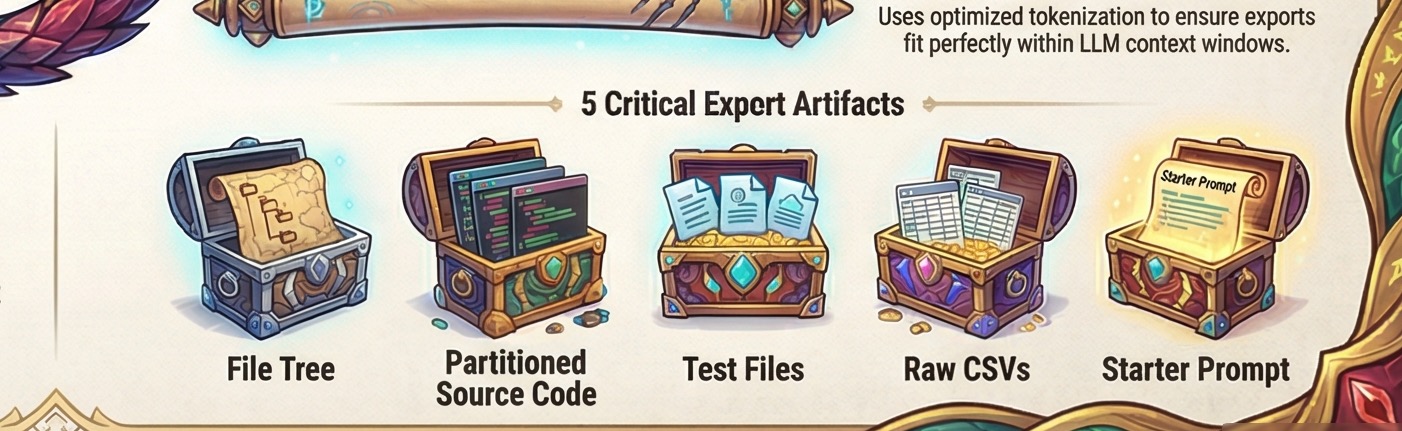
Every scan produces a complete set of structured Markdown artifacts, ready to paste directly into any LLM conversation window.
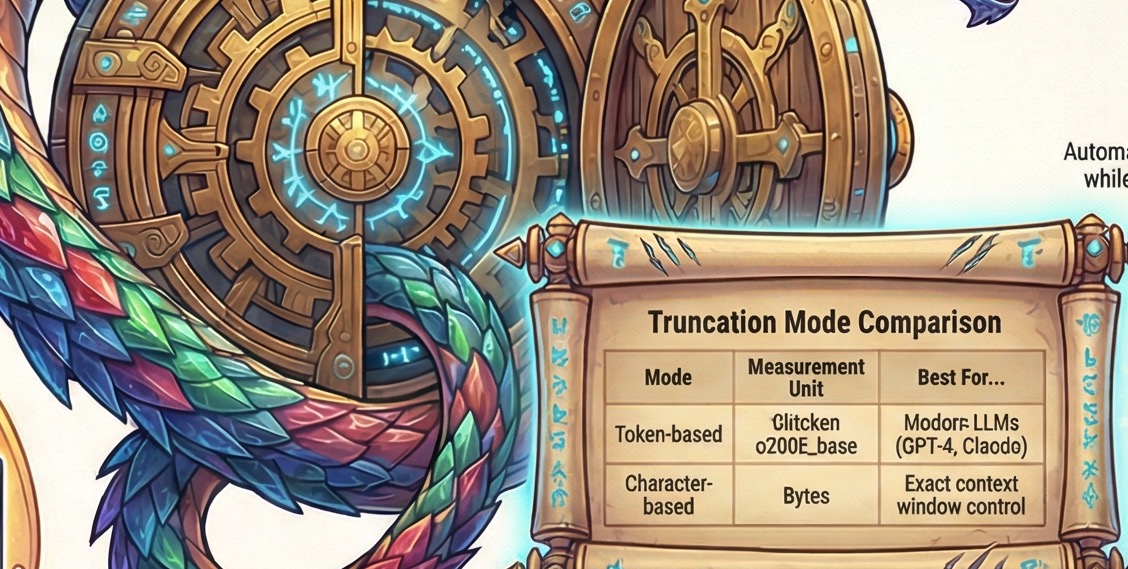
Precise Token Truncation
Dragonote can limit exports by characters or by tokens counted with
cl100k_base. The token count is exact for that encoding; model-specific
wrappers, prompts, and conversation overhead are outside the export budget.
Auto-split partitions large exports, including test files, into chunks that fit the configured content budget.
What the scanner, the exporter and the desktop shell can each do.
Scanning
- Smart defaults: scan any project directory
- Automatic
.gitignore& binary detection - Multi-root project scanning
- Parallel scanning (rayon)
- Configurable test directories & wildcards
.dragignore: persistent project-level ignore rules- Extra ignore patterns (glob)
- Force-include overrides
- Resource directory toggle
Output
- File tree + code context output
- Test export modes (separate / inline / exclude)
- CSV detection, copying & consolidation
- Auto-split & consolidated output
- ZIP archive export
- Analysis prompt & usage readme
Truncation
- Custom token & character limits
- Exact token budget mode (
tiktokencl100k_base)
Desktop GUI
- Native directory picker
- Multi-root add/remove chips
- File-level checkbox control
- Resource directory picker
Build targets v0.1.0 alpha
Configured packaging targets for the private alpha. No public installers have been published.
Windows
macOS
Linux
Private alpha: the targets above are packaging configurations, not download links. There is no public installer or hosted demo yet.
Tech Specs
What powers Dragonote under the hood.
Core Engine
- Language: Rust (no GC, no interpreter)
- CLI binary: single native executable, nothing to install alongside it
- Scanning:
walkdir+ theignorecrate for .gitignore semantics - Pattern matching:
globset - Token counting: tiktoken-rs (cl100k_base)
- Parallel mode: rayon
- Archive export: zip crate
Desktop GUI
- Framework: Tauri 2.0
- Frontend: vanilla HTML / CSS / JS, no Node.js
- Renderer: OS-native WebView
- IPC: typed Rust commands, JSON serialization
- Dialogs: native OS file pickers
Resource Footprint
- Idle RAM: measured locally at approximately 30-50 MB
- Background processes: none
- Runtime deps: OS WebView only
Cross-Platform
- Windows: 10+ (NSIS, MSI, standalone CLI)
- macOS: 10.15+ (DMG, standalone CLI)
- Linux: .deb, .AppImage, standalone CLI
- Architecture: x86_64 on all three; Apple Silicon (aarch64) on macOS
- CI-tested: 132 unit & integration tests in CI
Why Tauri? GUI technology considerations
Why not Electron?
Tauri uses the operating system's WebView rather than bundling Chromium with the application. That fits a form-driven utility and keeps the desktop shell smaller than an Electron distribution.
No npm frontend step
The frontend is static HTML, CSS, and vanilla JavaScript. No npm install,
no node_modules, and no webpack step in the frontend build.
Where pure-Rust GUIs (egui) shine instead
A pure-Rust GUI would be a reasonable choice for a canvas-heavy application. Dragonote is mostly forms, file lists, and controls, which map directly to HTML and CSS.
Tauri keeps the scanning engine in Rust while allowing the desktop controls to use a small HTML, CSS, and JavaScript frontend.